New approaches to creating vector graphics Design meets AI
Vector graphics are part of everyday design tools – whether for logos, icons or illustrations. Is this tool now getting an exciting upgrade with the use of AI? We tested this out directly in this year's Christmas campaign.
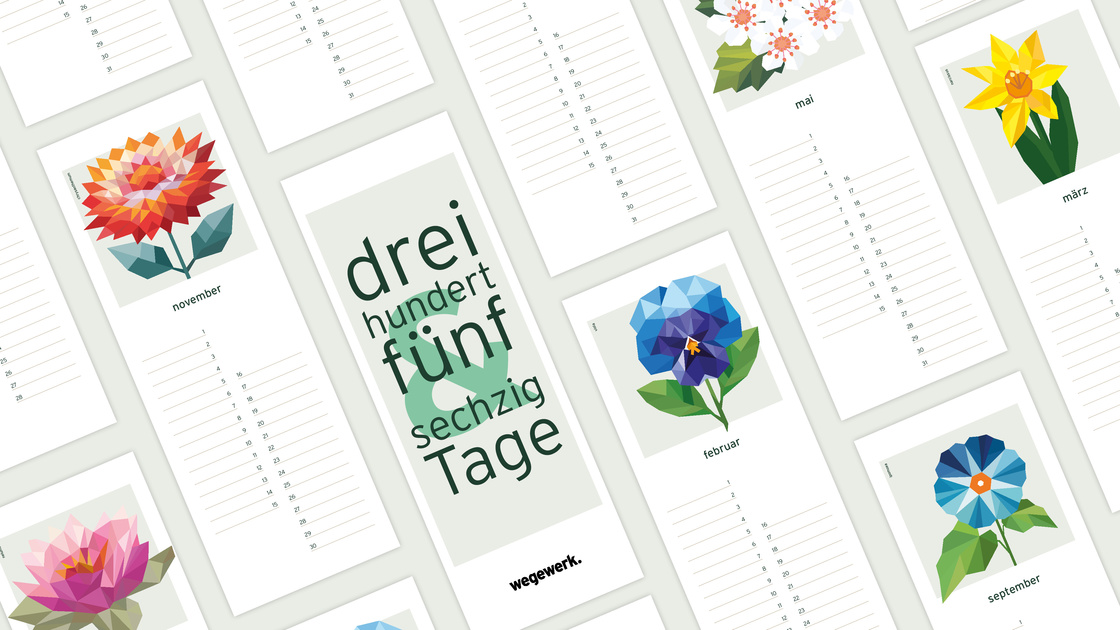
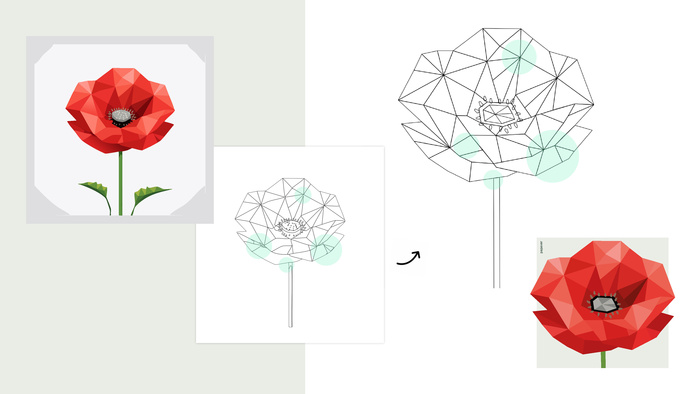
Instead of a traditional card or digital tool for our customers, we created a birthday calendar – reusable, carefully designed and featuring twelve individual illustrations, one for each month. AI provided us with targeted support for this project, enabling us to develop the individual motifs more quickly and try out new design approaches.
Challenge accepted.
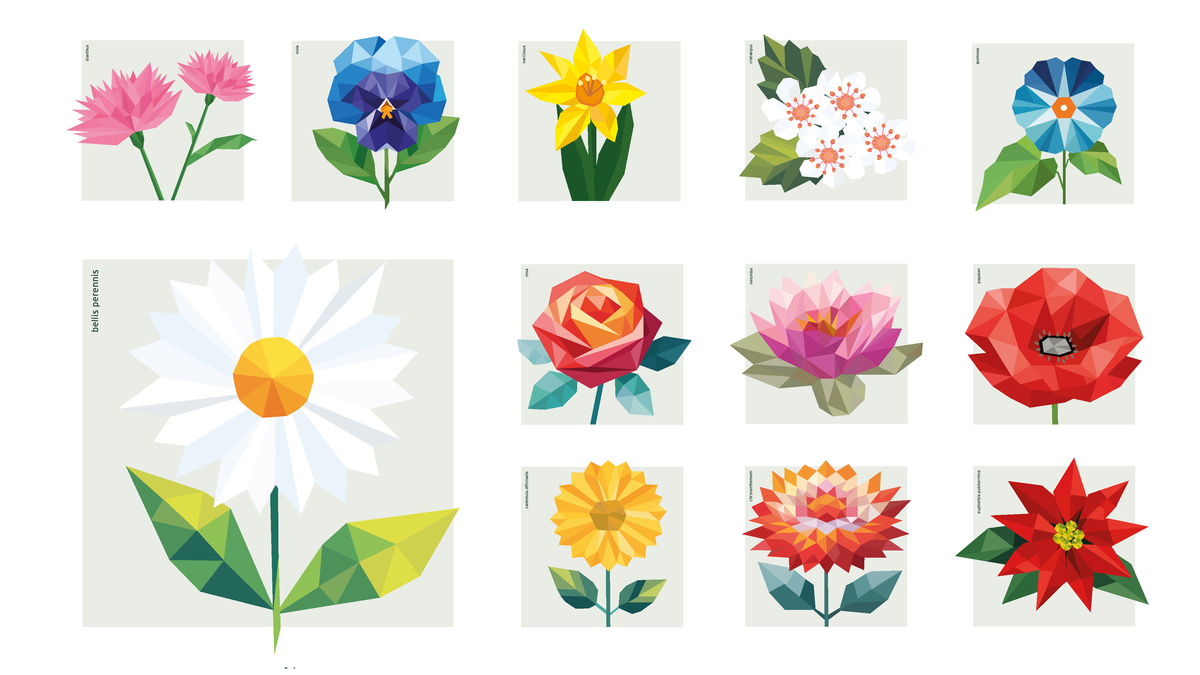
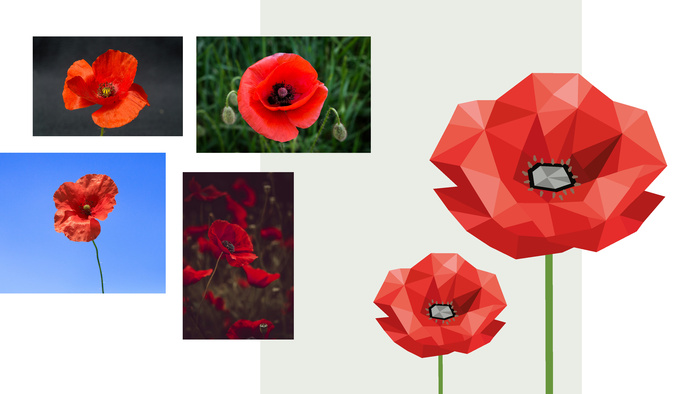
A suitable theme for the motifs was quickly found: flowers of the month. They form the basis for the individual calendar pages. Of course, not as simple flower photographs, but in a design interpreted by us. We opted for a modern polygon style look, giving the illustrations a clear, distinctive signature.
That means there are twelve different flowers on the agenda. And, as is so often the case, time is also a factor: ideally, the calendar should be ready before Christmas so that it reaches our customers in time for the festive season. So how can we manage to design it efficiently and to a high standard alongside our day-to-day business? The answer: perhaps with intelligent support from AI.
Generating graphics with AI – how artificial intelligence is changing design
Vector-based graphics have become an integral part of modern design. Whether logos, icons, illustrations or infographics – they are flexibly scalable, professionally applicable and can be used in almost all media. With the advent of artificial intelligence (AI) in creative processes, the way graphics are created is also changing.
What are vector graphics?
Vector graphics do not consist of pixels, but rather mathematical paths. This allows them to be enlarged or reduced in size without any loss of quality. Typical file formats are SVG, EPS or AI. Vector templates based on these formats serve as a reusable basis for designs and save time when creating designs and searching for the right motif.
How AI helps with the creation of vector graphics
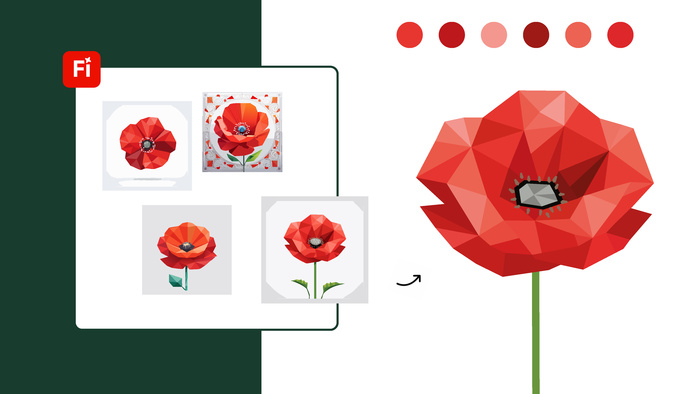
AI-supported tools can now generate new graphics from text descriptions, sketches or existing images. They analyse shapes, colours and styles and implement them automatically. For designers, this means one thing above all else: enormous time savings.
Possible areas of application include:
- Generation of icons and symbols
- Creation of illustrations in a uniform style
- Conversion of raster images into vector graphics
- Development of complete design series
Advantages of AI-generated vector templates
The use of AI offers several advantages:
- Speed: Initial drafts are created in seconds.
- Creative inspiration: AI provides new style ideas and variations.
- Cost efficiency: Less manual work saves resources.
Limitations and challenges
Despite all the progress that has been made, AI cannot replace human design expertise. Post-processing is often necessary to optimise details or comply with brand guidelines. Furthermore, not all AI outputs are technically clean vectors – checking them in various design programmes such as Adobe Illustrator remains essential to ensure a clean, high-quality end result.
Legal issues, such as authorship and licensing, should not be overlooked either, but that is a topic for a separate article.
Conclusion
The generation of vector graphics with AI opens up new creative possibilities and, in the best case scenario, can speed up the design process. Those who understand AI as a supporting tool and combine it with classic design expertise can achieve high-quality and efficient results. The future of design is not either human or artificial – it is a collaboration between the two.